lumen/rate-limit-aGoing open source · made by Datum
Run a team of coding agents, and stay in charge of all of it.
Lumen is an agentic development environment for Mac and iPhone. Your agents work side by side, each one on its own copy of the code, and nothing reaches your project until you've read it.
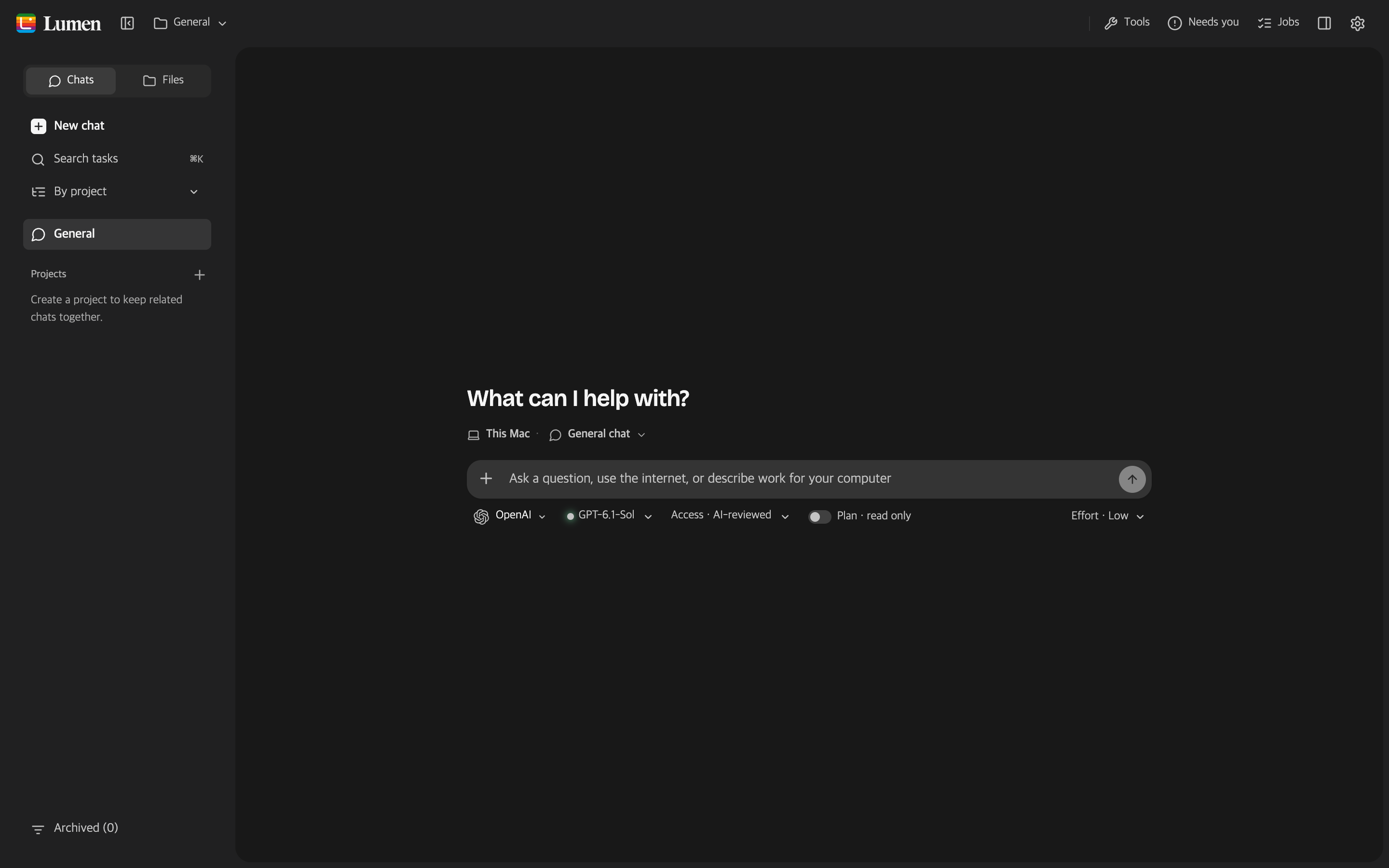
Every job starts on this one screen. You pick a model, say what you want, and choose how much it's allowed to do without asking you.
What it is
Lumen is an agentic development environment.
That's a mouthful, so here's what we mean by it. An AI coding agent is a model like Claude or GPT that can read your code, run commands and make changes by itself. A code editor was built for one person typing. Lumen was built for one person directing several of these agents at once, and for checking their work before any of it counts.
It's a real Mac app, and it comes with an iPhone app so you can keep an eye on things and answer questions when you're away from your desk.
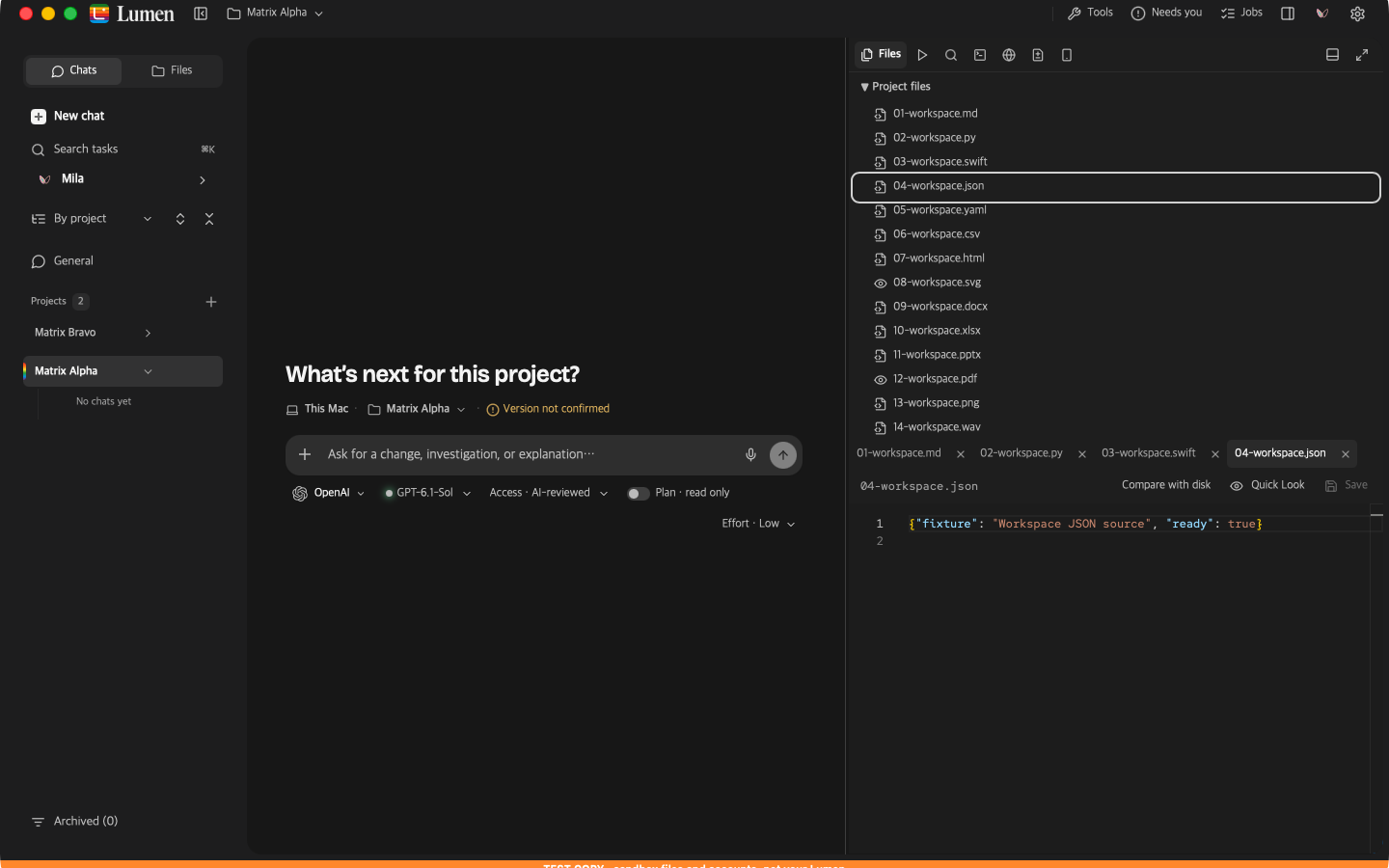
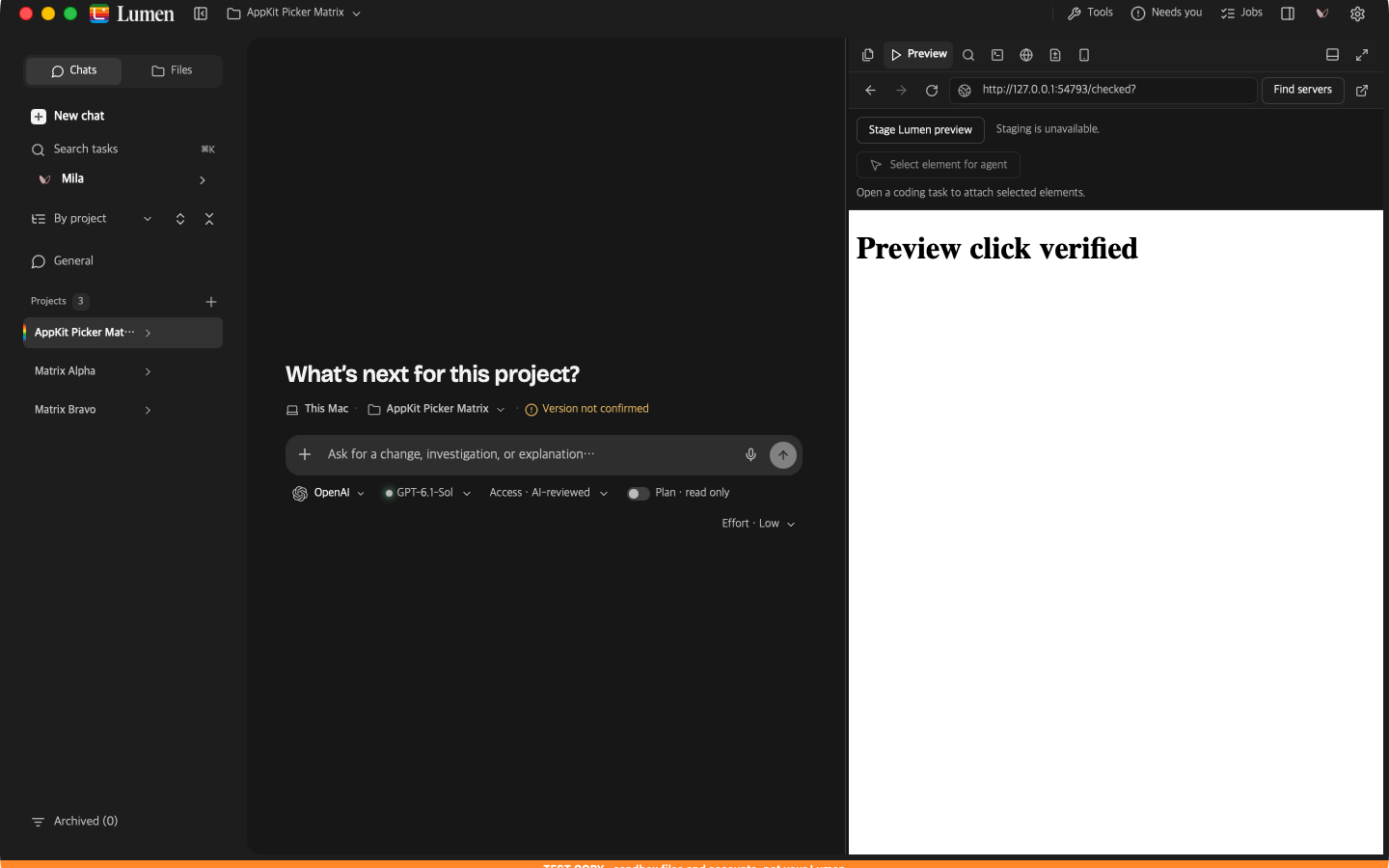
The project's files open next to the conversation, so you can read what an agent is touching while it works.
Screenshots are from the current build, running test projects.
How it works
Step 1 of 4
You ask once.
You describe the job in plain words, the way you'd explain it to somebody on your team. You can send it to one agent or to a few, and they don't have to come from the same company.
Step 2 of 4
Each agent gets its own copy of the code.
Lumen gives every agent a git worktree, which is a second working folder on its own branch. So three of them can work at the same time without stepping on each other, and none of them is in the folder you're working in.
Step 3 of 4
It stops and asks you.
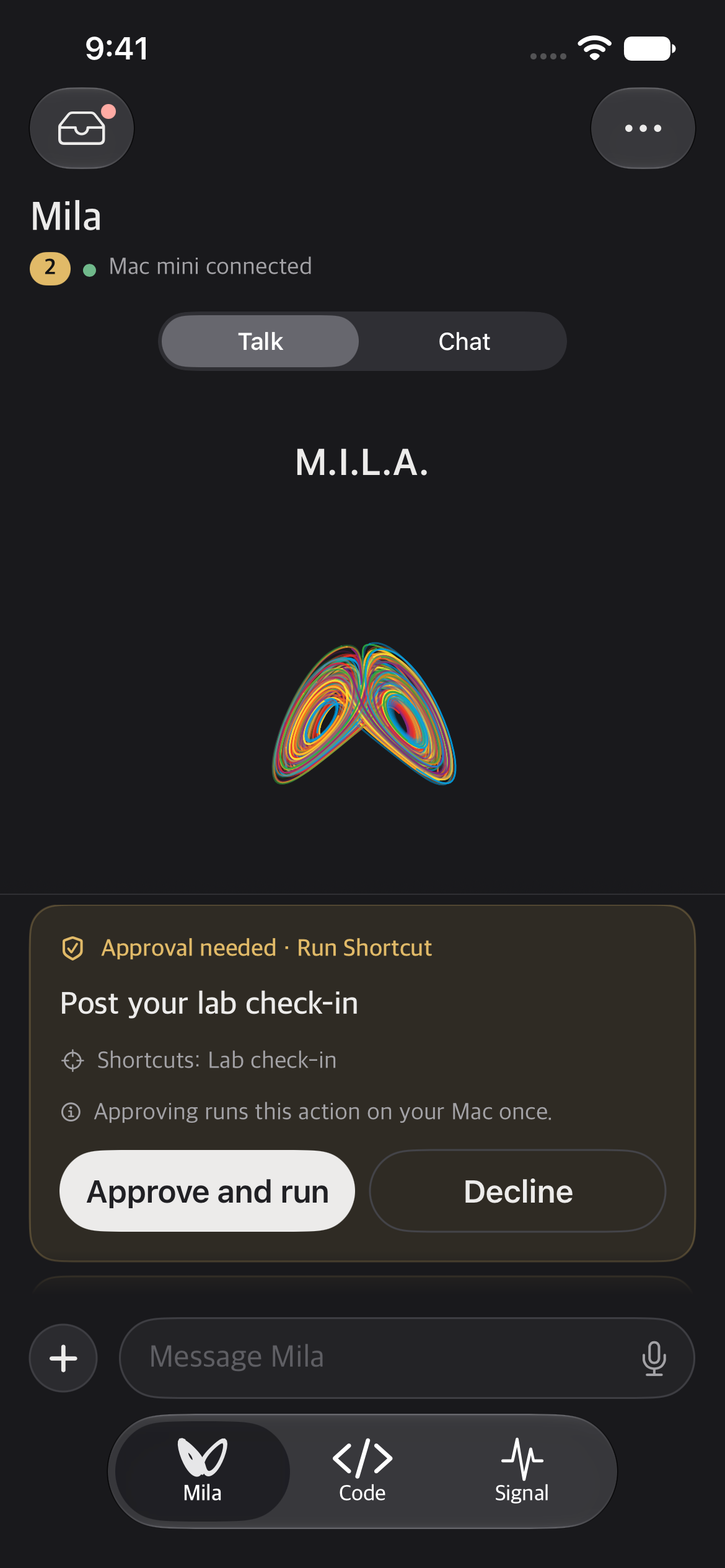
You decide how much each job can do by itself, from read only up to full access. Anything that needs your say comes back as a card you approve or decline, on the Mac or on your phone, and every request and every answer is written to a log on your own machine.
Step 4 of 4
You read the changes, then you land them.
When an agent finishes you get its changes to review. If you like them you land them, which puts that work into your project. If something collides, nothing gets written at all. And if you don't like them you throw that worktree away and your project never knew it happened.
Why Lumen
Why we think this is the right place to build now.
An agent can write a feature in a few minutes now. What takes the time is keeping track of what each one did, and being sure enough about it to ship. So that's where Lumen puts most of its effort.
- 01
It runs on the subscriptions you already pay for.
Lumen drives Claude Code, Codex, Google's Antigravity and Ollama's cloud models through each company's own command-line tool, signed in as you. There's no API key to hand over and no per-token bill from us.
- 02
Up to five agents on screen at once.
Split the window and watch them work side by side, or let them run and check the Jobs list when you come back. They can be from different providers and still work the same project.
- 03
Every agent works in its own worktree.
An agent never edits the folder you're in. Its work stays on its own branch until you land it, so a bad run costs you nothing but the time it took.
- 04
You choose how far each job can go.
There are four levels. Plan only reads. Ask me first stops before every action. AI-reviewed has a second model check the routine steps. Full access is there for when you really mean it.
- 05
It keeps a record you can read.
Every approval request and every decision gets a line in a log file on your Mac, with the time, the model and the branch. If something goes wrong you can see who allowed what.
- 06
You can point at the thing you mean.
Your app runs in a preview pane next to the chat. Click a button or a heading on the page and Lumen hands that exact element to the agent, so you don't have to describe where it is.
Lumen is early, and we use it every day. Some parts, like scheduled jobs and running an agent on another machine, are built but haven't had enough real use yet for us to promise much about them.
The road here
It started as my own tool.
I'm Joseph, and I run Datum. I wanted one place to do my work with AI where I could see everything it was doing, so I built one. It's been rebuilt a few times since then, and each time it got closer to what it is now.
It gets the name Lumen.
At this point it's a personal tool, built for one user.
Rebuilt around the conversation.
The second version is a work harness you talk to, and it runs on ordinary AI subscriptions through each vendor's own tools. That decision is still underneath everything.
One codebase.
The original app is retired and everything moves into a single app.
Smaller, on purpose.
Lumen had grown rooms for money, messages, research and more. Those move out to become their own products, and Lumen keeps coding, writing and files.
A native Mac app.
The Mac app is rebuilt as a native Swift app, and the iPhone app follows in SwiftUI.
Agents get their own worktrees.
Agents from different providers work the same project at the same time, each on its own branch, and get reviewed and landed one at a time.
Lumen ADE.
We name it for what it is, an agentic development environment, and decide to open the source.
Public source and a download.
We're working out what goes out first. This page gets the links when it does.
iPhone
It's on your phone too.
Lumen Remote is the iPhone app. Your Mac still does the work, and the phone shows you your projects and what each agent is up to. You can start a task, stop one, and answer an approval card from wherever you are.

Mila is the assistant inside Lumen. You can type to her or talk to her, and she can start agents for you and tell you what they found. Her voice side is still early, and we'd rather say that than pretend.
The iPhone app needs iOS 17 or later.

Lumen is open source.
The code will be public and ready to download here very soon! click the link below if you're interested.
Download for Mac SoonView the source Soon
The Mac app needs macOS 14 or later.
Lumen is made by Datum. We build websites and do AI consulting for small businesses, and Lumen is the tool we do that work in.
Visit Datum